Open CRM, an open source CRM and client portal: The software I built to run my client work, now public.
I'm a CPA, and much of serving a client happens around the accounting: the follow-up, the documents, the signature, the question that has to be answered before the work can move. Open CRM keeps those in one CRM with a portal for clients. It grew out of the system I run my own practice on, and version 1.0 is on GitHub under the MIT license.
What it is
One owner runs it. Clients get their own portal.
Open CRM is a CRM and client-workflow application for a single business. The owner manages the relationships and the work; each client has a portal account to see what is needed from them, answer it, sign, and pick up what was shared.
It is built on React and Supabase. You run it on your own Supabase project (the free plan is enough) and host the built site wherever you like. Names, branding, lead sources, services and the other pick-lists are settings the owner edits, not code.
The relationship
Start with the contact record.
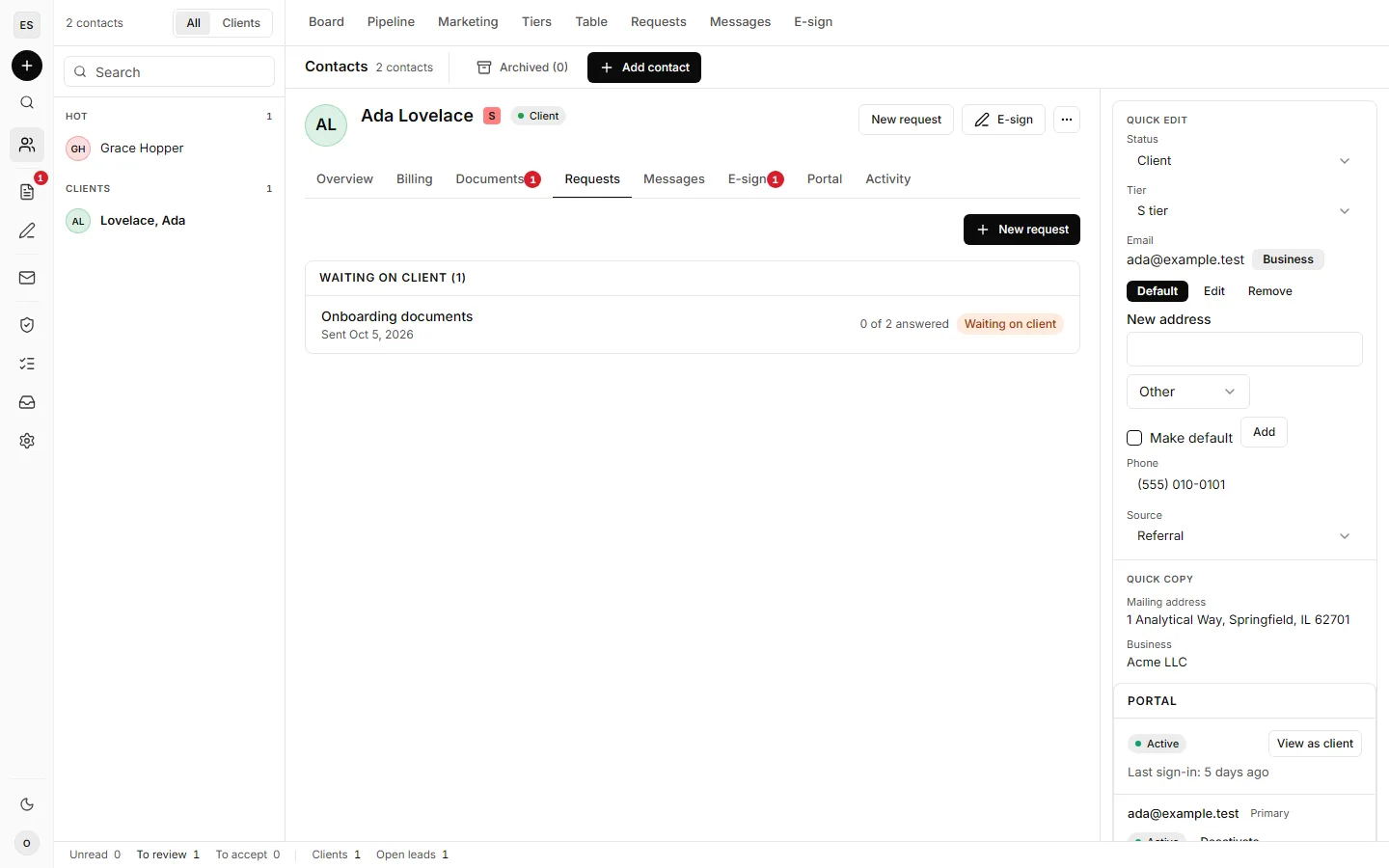
A contact holds the details that give the work its context: email and phone, mailing address, lead source, the businesses the person owns, notes, related contacts and service quotes. A quote is monthly, annual or one-time, and accepted recurring quotes feed the recurring revenue figures.
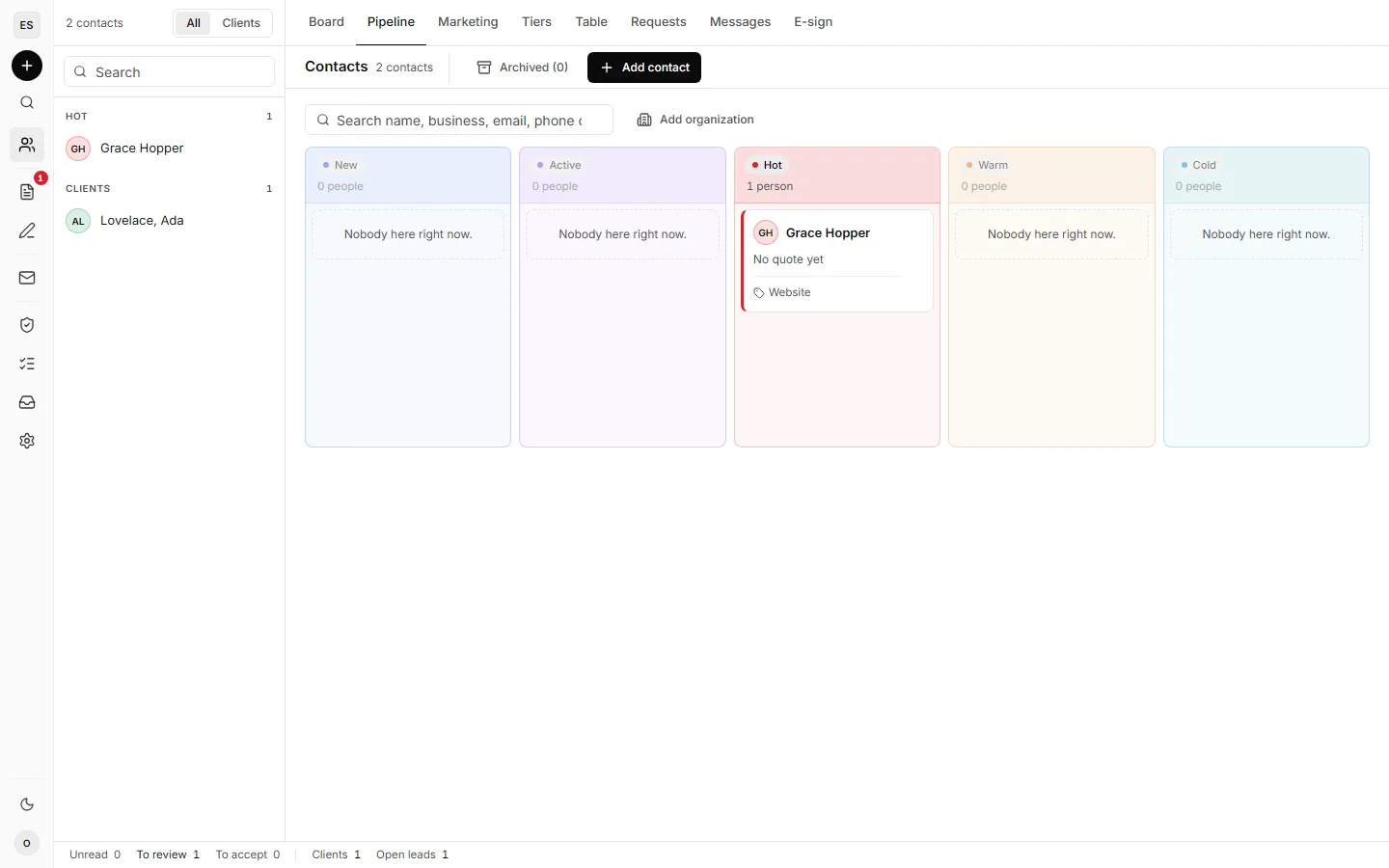
The pipeline, a table and a hand-ranked client tier list show the same contacts three ways. Archiving takes someone off the working lists and keeps the whole record, so Restore brings them back as they were.
The next action
Ask the client for exactly what you need.
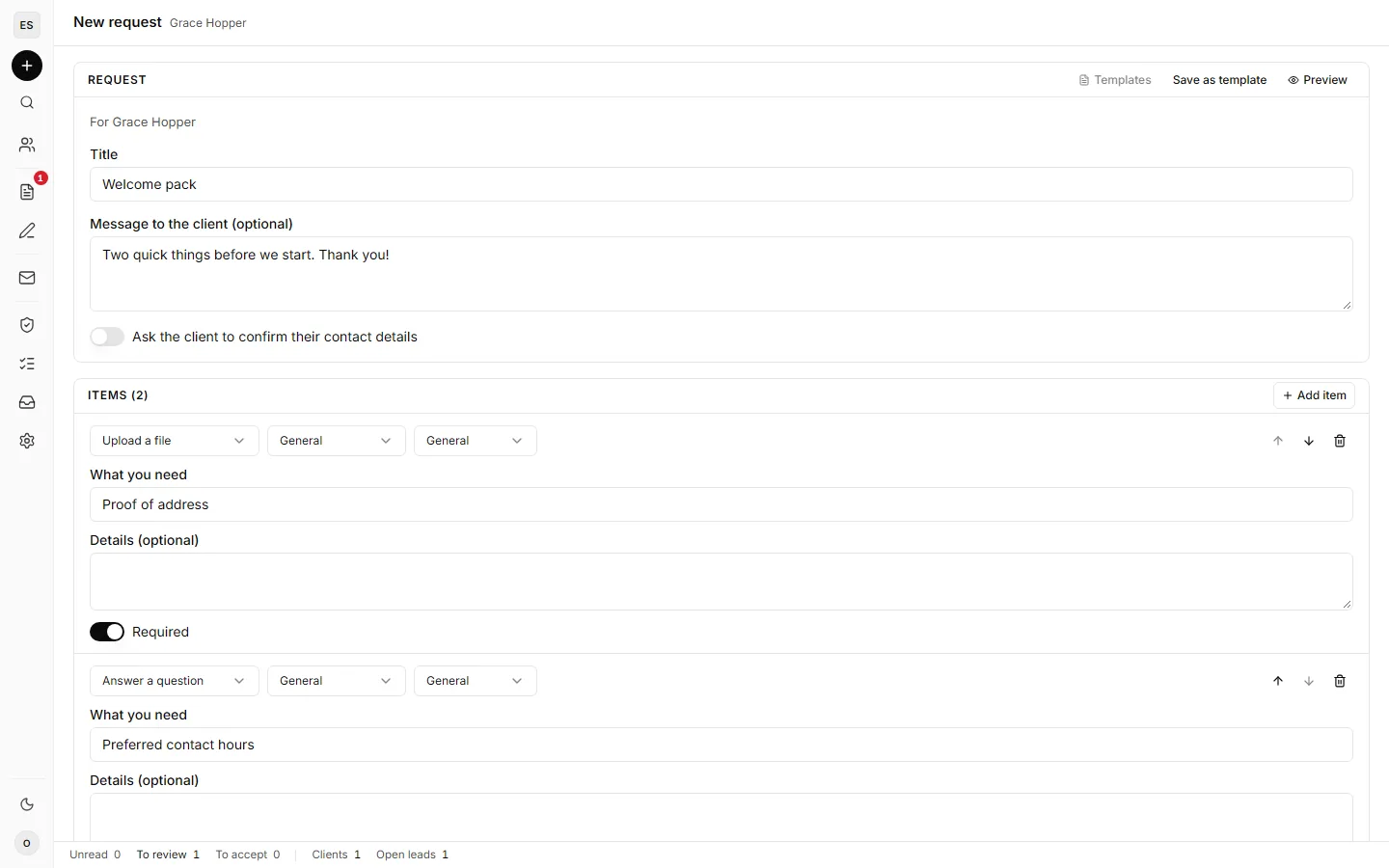
A request bundles what you need from a client: files to upload, questions to answer, tasks to tick off and notes to read. Write it from scratch or start from a saved template, send it, and accept the answers as they come back. A request closes itself once every answer is accepted.
The request list is grouped by whose move it is: waiting on you, waiting on the client, drafts. Reminders go out by hand or on a schedule once email and the background jobs are set up.
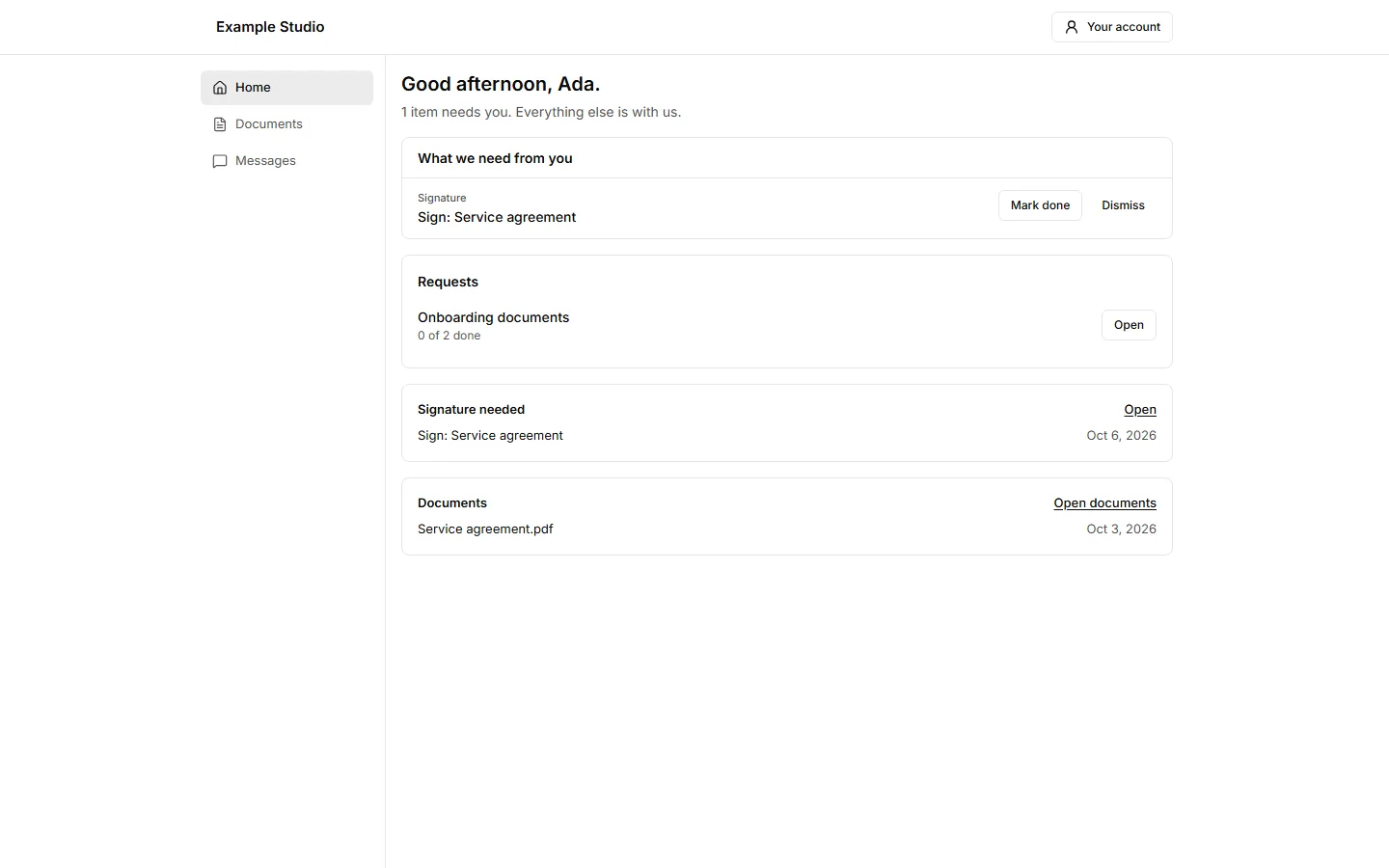
On the other side, the client sees one home page with everything waiting on them: requests, signatures and shared documents. They can upload files, manage their profile and turn on two-factor sign-in. The owner can open any client's portal read-only, to see exactly what that client sees.
Documents and signatures
Keep the paperwork with the work.
Each client has document folders, split between what the owner shared and what the client uploaded. The owner can preview, annotate, organize and mark files as reviewed. Every upload has its bytes checked against its file type and is encrypted before it is stored.
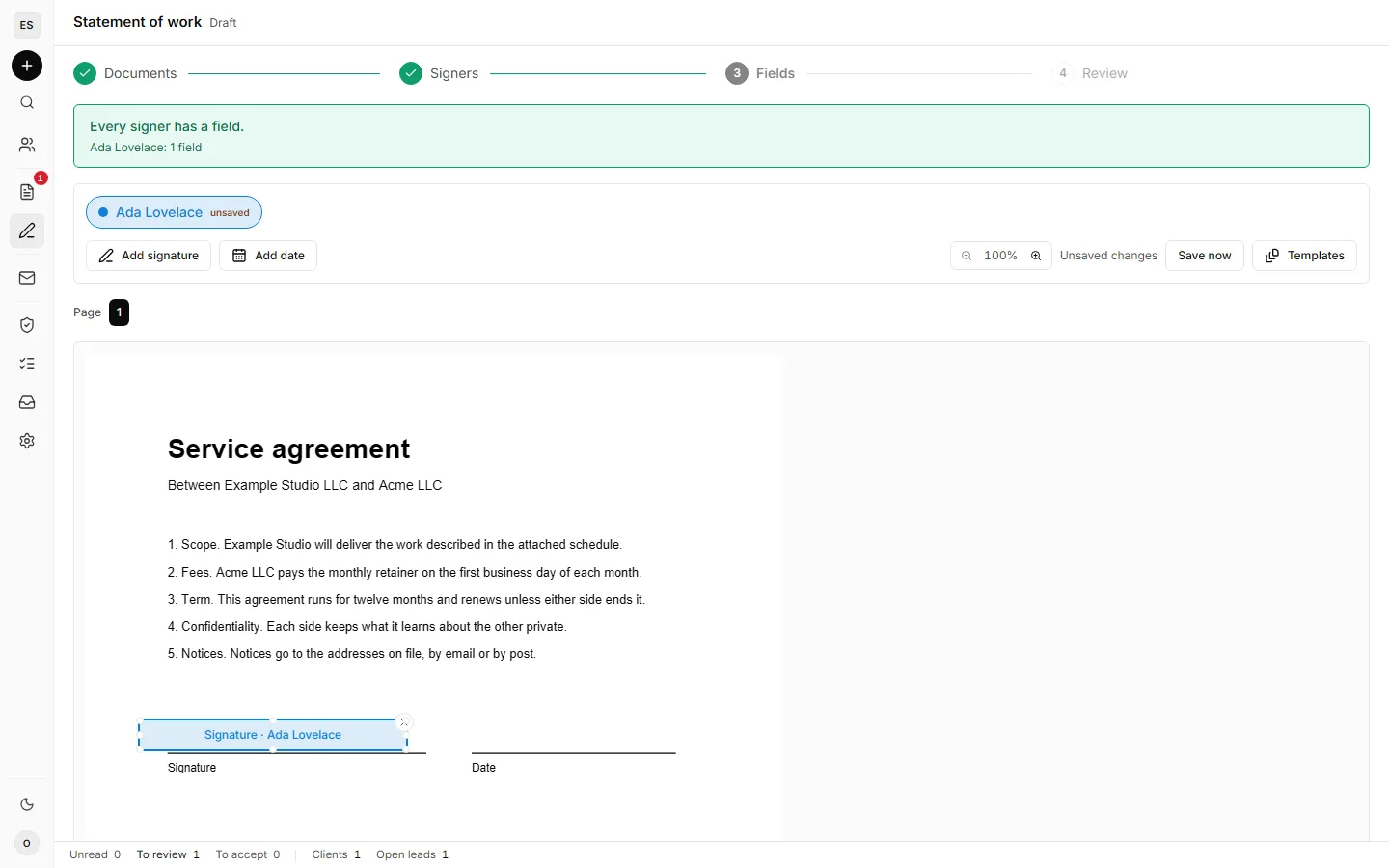
E-signature is built in. Assemble an envelope from PDFs, add signers in order, place signature and date fields, and follow each signer's progress. Signers type or draw their signature. The executed PDF carries an audit trail page, and anyone holding a copy can check it against the recorded document fingerprint on the verification page. Executed PDFs are stored without the application-level encryption uploads get, and the README says so plainly.
Clients can also message the owner from the portal. A client's message is encrypted in their browser to the owner's key; the owner's replies are stored as plain text. Messages are deleted seven days after they are read.
The work
Track the work, and where it came from.
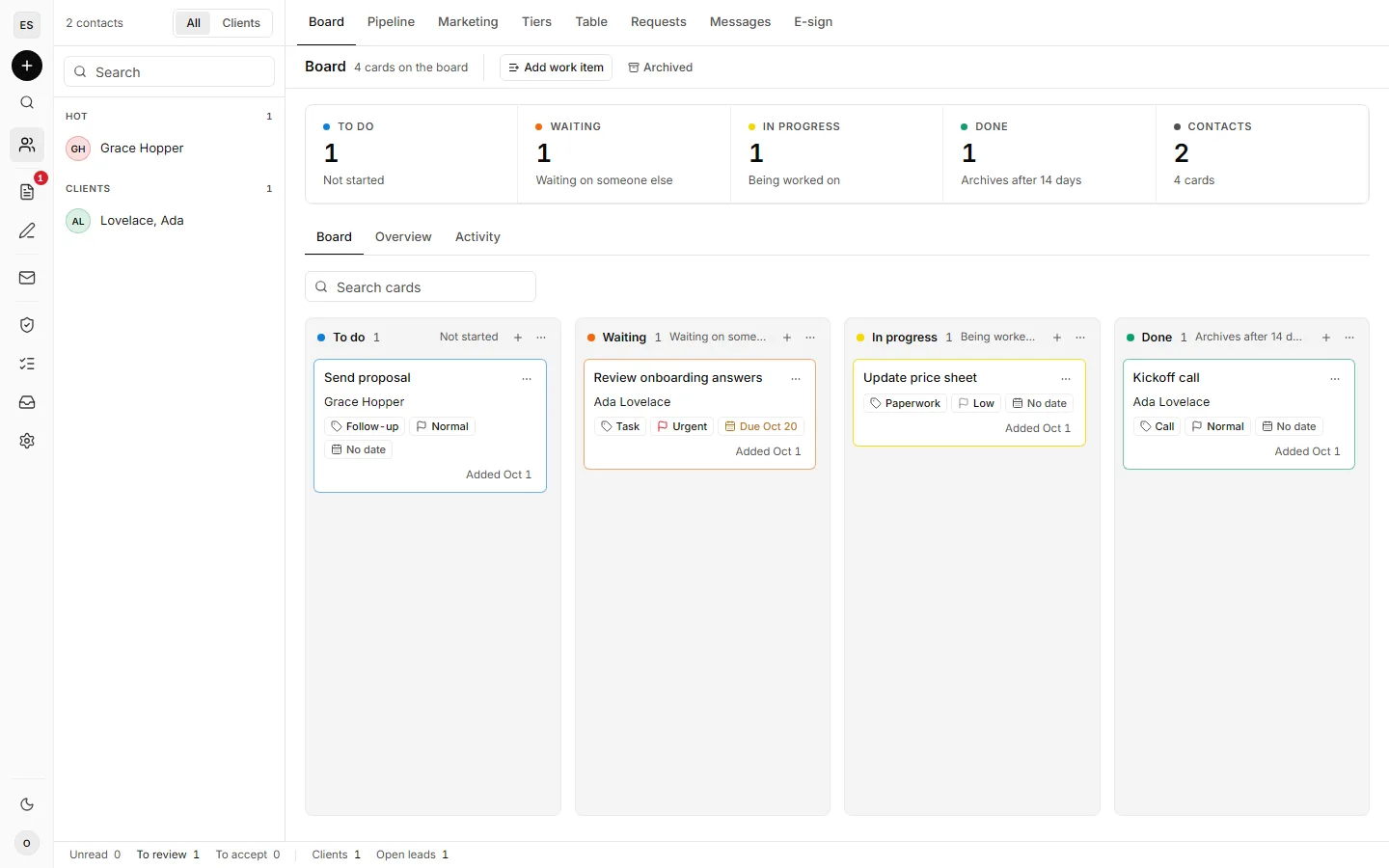
The work board holds tasks with a type, a priority, an optional due date and an optional contact. Moving a card asks for a reason and records it, so a card's history explains why it moved. Done cards archive after 14 days.
Group email sends to a chosen set of contacts, with an unsubscribe link in every message. The marketing view shows leads and won clients by source and month, against the targets and ad spend you enter, with recurring revenue from accepted quotes. A keyed lead-intake endpoint lets a form tool or another system post new leads straight in.
The AI connector
Let an AI assistant work the CRM with you.
Open CRM includes an MCP connector. MCP, the Model Context Protocol, is how a compatible AI assistant uses tools an application exposes. Claude and ChatGPT connect out of the box; another assistant needs its callback address added to the configuration.
The connector exposes a defined set of tools. With them, an assistant can:
- Find a contact by name, email, phone or business, and read the record.
- Add a contact, add a business to it, and log a call note.
- Move a contact along the pipeline and draft a proposed quote.
- Draft a request, list every open request by whose move it is, and send or remind one.
- Add, edit and move cards on the work board, with the reason recorded.
In practice that sounds like "Find Ada Lovelace and show me her open requests," or "Draft a request asking for her company profile PDF and her preferred contact hours, and show it to me before it goes out."
The owner approves each connection on a consent screen at the second factor. The tools that email a client, accept or close a request, or delete something wait for your go-ahead in the conversation, and every call is recorded in the audit log. The full tool list is in the README's AI connector section.
Before you install
What running it yourself involves.
Open source gives you the code and the freedom to change it. Running an install is still yours: hosting, configuration, updates, backups and the cost of any services you add.
You need Node 22 and a Supabase project, and nothing runs in Docker. Email, text-message verification and the scheduled jobs each need their own provider and settings. Until a provider is set up, a development outbox holds every email and text so you can test without sending anything, and a demo seed loads a dozen fictional contacts to explore with.
Version 1.0 is built around one owner. If your business needs several staff accounts with their own permissions, it does not do that today.
Links
Get the code, and tell me what to build next.
It is early, and there is a lot left to build. The most useful feedback is specific: what you were trying to do, what happened, and what you expected instead. Documentation and setup fixes count as much as code.
- Source code on GitHubThe repository, the README and the issue tracker.
- Release v1.0.0What shipped in the first release.
- Setup guideFrom a fresh clone to a running install, step by step.
- Feature guideWhat the owner and clients can do, area by area.
- ContributingHow to propose a change or report a problem.
- Security policyHow to report a vulnerability privately.
Running a business that needs a CPA?
Open CRM is how I run my client work. The tax and accounting work itself starts with a conversation.